Skip to content
Fri, 24/04/2026 Ghent Small group

Practical Prototyping with AI

A full-day, hands-on training for:
Product Managers, Product Owners, Functional Analysts and Business Analysts.

  • Go from idea to live prototype: make your concepts tangible and testable.
  • Learn AI fundamentals: AI models, context windows, and prompting.
  • Practice an end-to-end workflow inside an AI code editor (Cursor).
    No coding skills required to participate.

Or join the waitlist for the next date

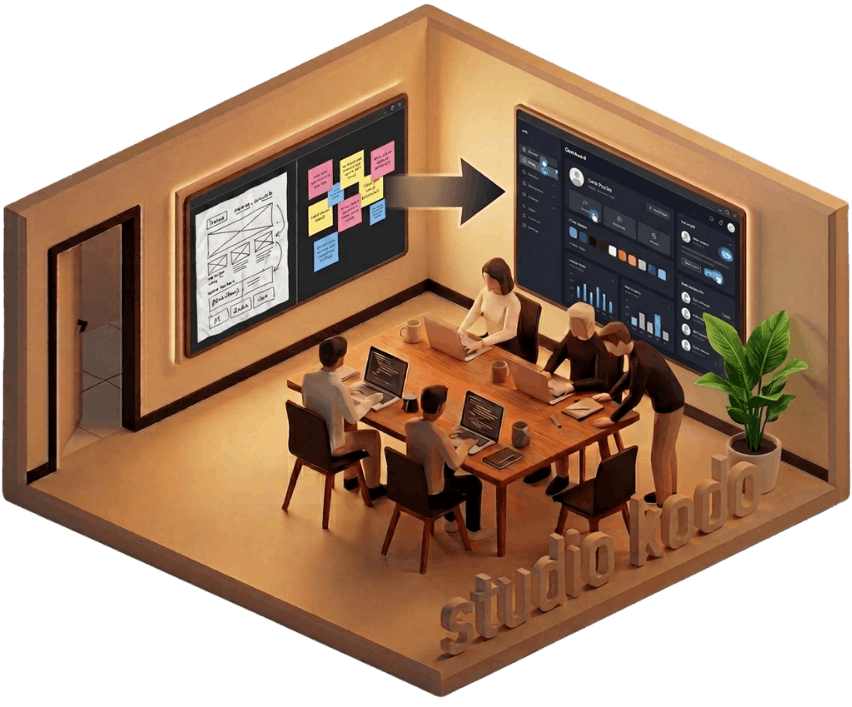
Studio Kodo workshop visual

How to go from idea to prototype

You'll learn how to turn ideas into a working live prototype: something people can actually see and try.

User testing, demos to stakeholders, mockups to unblock a discussion: those are just a few examples. The use cases are endless. You will use what you learn everywhere.

We will also show you how to share your prototype on a link, so you can send it to anyone for feedback or testing.

How AI actually works

You don't need to become technical. But you do need to understand the basics: what an AI model is, what it can and cannot do, and why it sometimes gets things wrong.

We cover the fundamentals that matter in practice. What a context window is and why it limits what the model can "see". How prompting works and why small changes in how you ask lead to very different results. And how AI models differ from each other: they are not interchangeable, and choosing the right one for the task matters.

GPT-5.3
Opus 4.6
Gemini 3 Pro

Practice a workflow inside an AI code editor

You'll practice a full workflow from idea to working prototype. We use Cursor, an AI code editor where you describe what you want in plain language and it builds it for you. No coding skills are required, we'll guide you through the process.

The process you'll practice is transferable to other AI coding tools. We focus on principles, not on any single product.

The Program

Morning 9:00 – 12:00

Get the basics down

  1. How AI Actually Works

    Understand the AI basics that matter in practice.

    We explain what AI models are, how they generate answers, and why they sometimes hallucinate. You will also see the differences between the main models available today and when to use which one.

    You will learn how to prompt clearly, give the right context, and structure prompts with tasks, examples, formats and constraints so AI produces more reliable results for product ideas, flows and UI prototypes.

  2. Technical concepts to help you prototype better

    A fast, non-programmer-friendly introduction to the technical concepts that make AI prototyping much easier.

    We cover ideas like version control with Git, reusable UI component, common product states such as loading or error states, APIs as the way tools exchange data, and JSON for mock data and structured outputs.

    The goal is not to learn programming, but to understand just enough to build better prototypes.

  3. Tool setup

    Next we set up the main tool used during the workshop: Cursor.

    The process you'll practice is transferable to other AI coding tools. We focus on principles, not on any single product.

    An AI code editor like Cursor lets you describe what you want in plain language and the AI helps generate and modify the code. We show how the tool works and guide you step by step while you start generating your first UI components and screens.

    Zero coding experience is required.

Afternoon 13:00 – 17:30

Build something real

In the afternoon, the focus shifts from learning to making.

You can choose one of the ready product scenarios such as onboarding, a dashboard or a referral flow, or bring your own product challenge and we will help you prototype on that instead.

Starting from from a rough idea, sketch or product question, you will turn it into a working clickable prototype by generating screens, refining prompts, improving structure and connecting the flow step by step.

Along the way, you will see how to use AI not just to create a first draft, but to iterate, make decisions, explore alternatives and quickly improve the quality of what you build.

We also do short feedback and testing moments with the group, so you leave with something more realistic, more thought through and much closer to how product ideas actually take shape in practice.

The Trainer

Jean-Marie Hoffelinck on LinkedIn

Jean-Marie Hoffelinck

Product Manager & Developer

Hi, I'm Jean-Marie.

I've been working as a Product Manager for the past 6 years. In that time, I've learned that ideas become much easier to discuss once they are a bit more tangible. That can be a prototype, a clearer flow, a rough concept, or something simple that helps you explore an idea in practice.

That is why I'm so interested in these new AI tools. I like figuring out how they can actually help in day-to-day product work. Not as hype, but as something practical: to make ideas more concrete, think through product questions, and build rough software concepts when that helps you move faster.

I also have a background as a developer, which helps me understand the technical side as well. I've built and experimented with different applications and prototypes myself, and along the way I've learned that working well with AI involves a lot of nuance. Knowing how to guide it, where it tends to go wrong, and how to shape the output into something useful is a big part of the work.

Studio Kodo is simply a way to bring those lessons together in a practical, hands-on training for product people.

If you have a question, you can always email me directly.
Connect on LinkedIn

The Venue

Meeting room at Take In — modern workspace with colorful art and natural light
Stylish lounge area with designer furniture
Outdoor terrace with colorful chairs and string lights
Delicious artisan pizza
Take In, Ghent

Take In - Ghent

A creative workspace in Ghent's old docklands. Modern meeting rooms, good pizza, and the kind of energy that makes a workshop day fly by.

View on Google Maps

Frequently Asked Questions

The training is conducted in English, and all materials are provided in English.

No coding skills are required. The training is suitable for anyone who wants to learn how to prototype quickly with AI, regardless of technical background.

If you’re unsure whether this is a good fit, feel free to reach out and share a bit about your background or what you’re hoping to get out of the training.

Just your laptop and a charger. We’ll take care of the rest.

We use Cursor, an AI code editor where you describe what you want in plain language and the AI helps generate and modify the code. We show how the tool works and guide you step by step while you build your first UI components and screens.

The process you'll practice is transferable to other AI coding tools; we focus on principles, not on any single product.